My absolute favourite AI text to video and image to video service is (MiniMax) Hailuo AI. As with all the AI video services at the moment it has many issues, but for my money this team’s models are the ones that I have the most fun with, plus the models just get things right especially with animations, character reference and now (since about a day or two) camera movements.
The latest model is (as this title has already “spoilered”) T2V-01-Director and it comes with a whole bunch of camera functions that you can attach to your text prompt. I hope at some point that they add these functions to their other models and we get to combine the brilliant character reference model, image to video model and the I2V model for 2d animations.
Here’s the release video with a quick overview of the functions.
So how does it work ?
Well, as always with Minimax Hailuo, you click on “create”
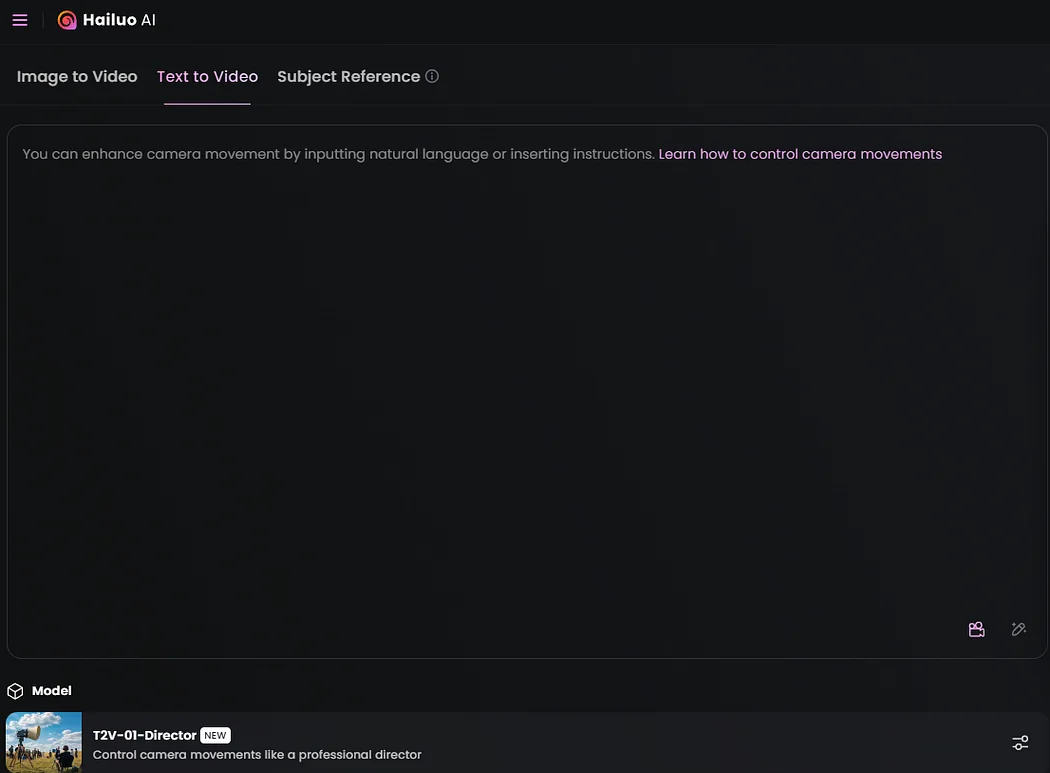
You can see the new model is selected, and you can enter your prompt as per normal with the Hailuo models the prompt formula goes like this:
Main Subject in the first frame + Motion/Change +Camera Movement + Aesthetic Atmosphere
So for some strange reason I wanted to channel my inner Alfred Hitchcock (probably because I had just eaten a bar of chocolate, and my hair is falling out progressively). So the prompt for a scene would be:
[Push in]Close up of a tense woman looks to the left, startled by a sound, in a darkened kitchen, Pots and pans hang ominously, the window in the kitchen is open and the wind softly blows the pans and creates an ominous mood. [Shake]the woman’s shock turns to fear. Black-and-white film noir shot dimly lit, 1950s-style, with dramatic, high-contrast shadows. The overall atmosphere is reminiscent of Alfred Hitchcock’s suspenseful storytelling, evoking a looming sense of dread with stark chiaroscuro lighting and a slight film-grain texture.
Notice the [Push in] and [shake] ? That’s what you get when you click on the camera icon in the prompt editor. You basically have two sets of camera motions, one is a sort of bundled “click and forget” fun way of doing things:
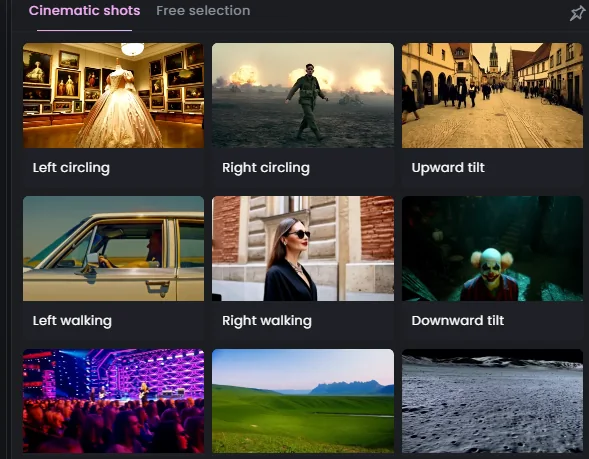
Cinematic shots, with easy previews and yeah it does what it says on the can. And the other is:
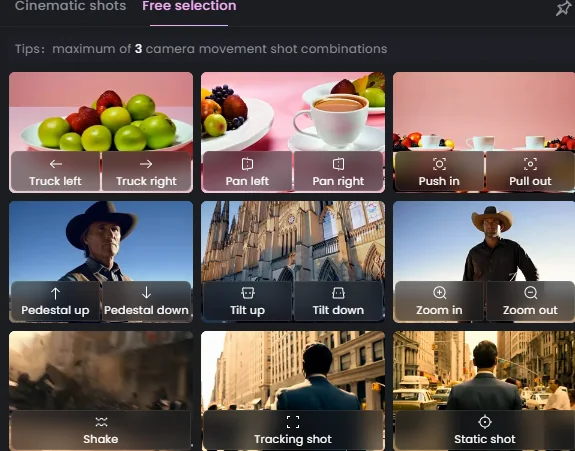
Free Selection. And here you can mess around a little bit more with your own combinations.
I went with free selection, because I wanted to see if it worked, and by and large the answer is a resounding yes ! I should stress again (as a very clear disclaimer), I use AI video purely and utterly for fun, so there is no professional frustration, and I just ignore the blemishes and move on to enjoying the “cool stuff”.
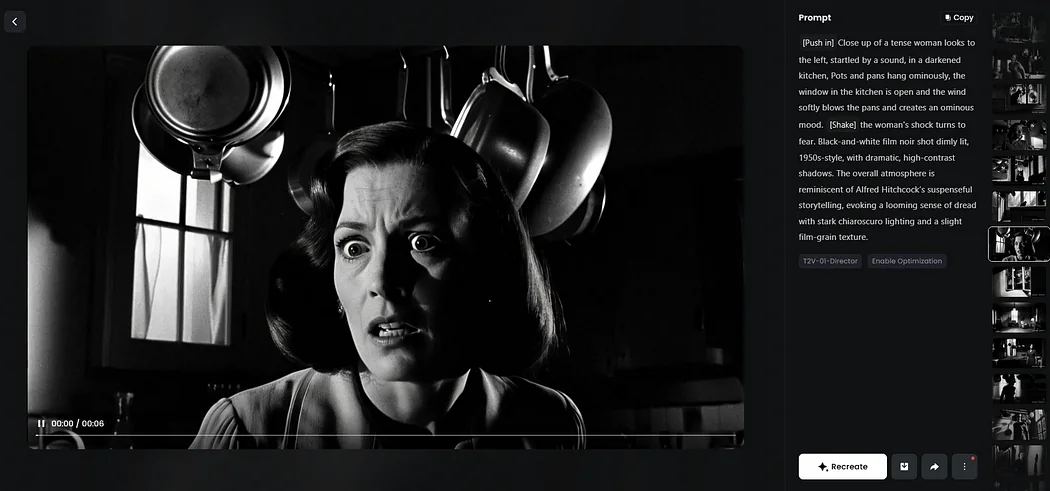
So the model seems to have done an amazing job of giving me the elements that I asked for, let’s count it down:
Tense Woman: Okay maybe a bit too tense, but she is there. ✅
Pots and Pans: also good ✅
Window: yes (not sure if its open though) ✅
Kitchen: uh huh ✅
Motion: Camera control “push in” works like a charm! ✅
Motion: “Shake” uh less so. But I think this is a prompt problem. ❌
Pan: Well this is interesting, she looks to the left of the screen, but it’s her right..not sure if this is intentional, anyway…almost. ❓
Style: Absolutely ! The AI model did exactly what I asked it to. The use of shadows etc is perfect. ✅✅
So how did it turn out?
Well after a few prompts and a bit of messing around this is what came out ?
And to just wrap up the “AI” vibe, I asked Suno to write some music with Cello
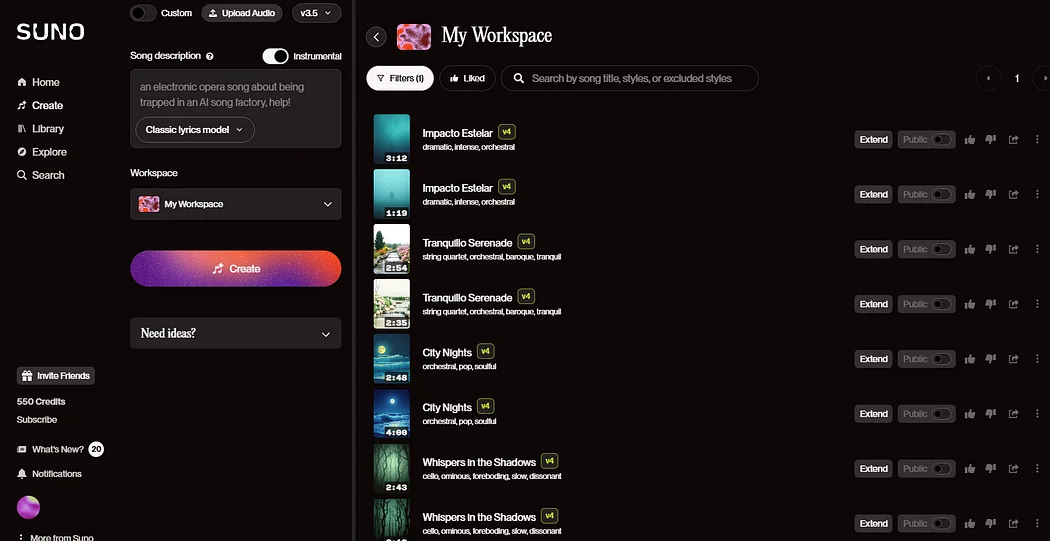
the prompt was very basic, but I feel that Suno is a bit of a “magic 8 ball” anyway when it comes to music generation.
Anyway a bit of copy paste with 4 or 5 T2V films and we are done.
Once again I’m happy to be a paying subscriber of this service (not Suno, Hailuo) and I highly recommend it to anyone that finds AI video generation a fun way to kill time.
Thanks for reading,
Kai