Beginner Steps. Advanced AI.
Published guideUpdated
Chapter 18 of 20Publish & maintain
Review the site and set up automatic checks
Get a fresh review, fix the problems, and make GitHub repeat the checks whenever your code changes.

Let's check the work before it becomes the main version.
Follow the pictures
Illustrated examples. Your app may look different. Tap an image to enlarge it.
-
Ask for a fresh review
Copy the fresh-review prompt into a new Codex chat. Ask it to compare the changes with your project requirements.
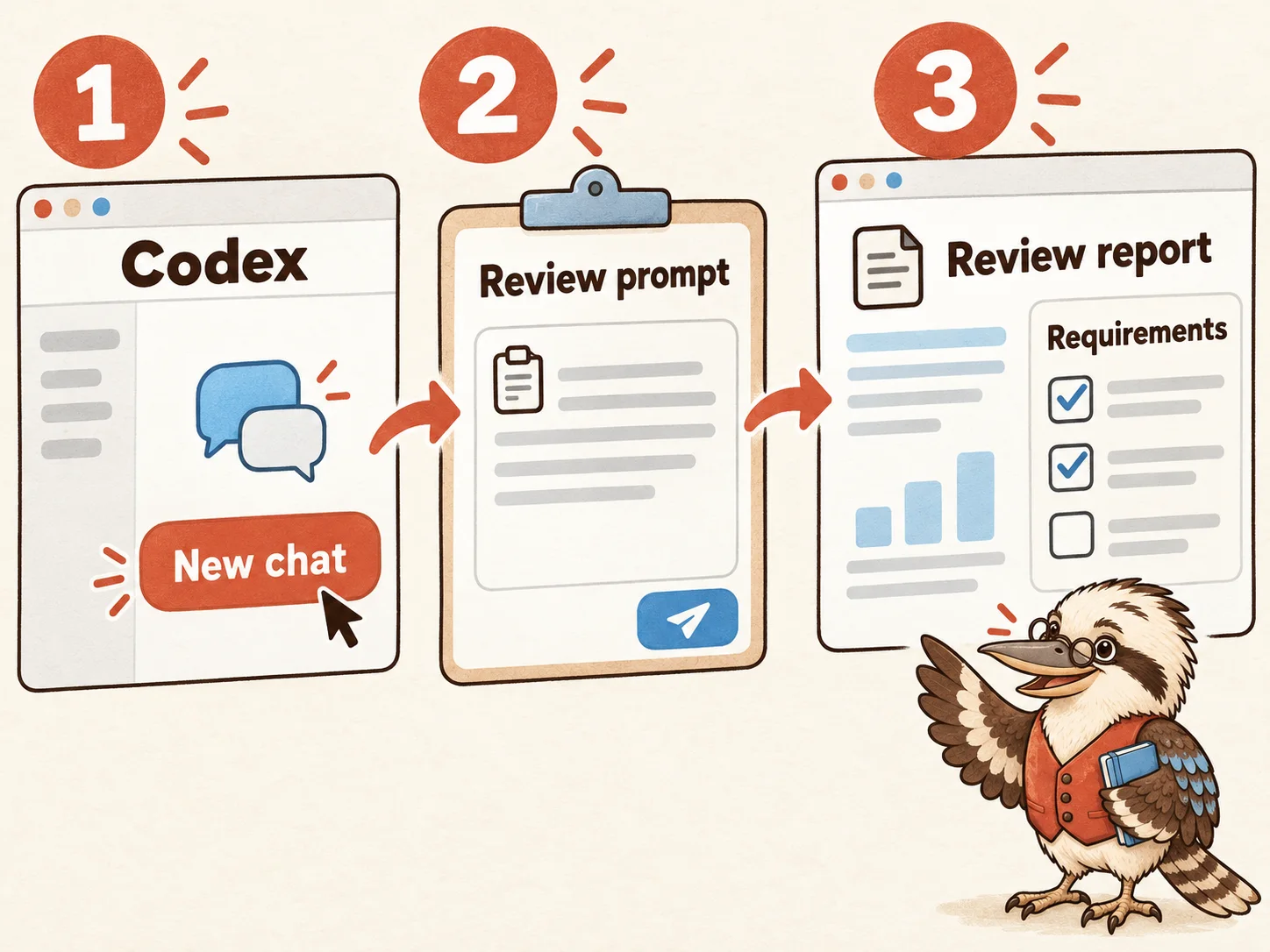
Illustrated example - In Codex
- New chat → Paste review prompt → Read report
- Then
- Compare requirements and changed files.
Look for: A separate review report with findings you can check.
More help with this action
Use a new conversation so the review starts by inspecting the work.
Show the review steps
- Open a new chat in the same Codex project. Copy Request a fresh review from the prompts below and send it with the branch name, your brief and the test report.
- Ask the reviewer to inspect the changed files and reproduce suspected problems. Compare the result with your acceptance criteria from chapter 12.
- A separate AI chat is still an AI review. Arrange a suitable human review for work you cannot judge, especially accounts, payments or personal data.
You should now see: A report separating confirmed defects, questions and limits. The reviewer does not modify files or merge the branch.
-
Fix and check again
Fix confirmed problems and repeat the affected visitor checks. Keep any remaining findings in your review note.
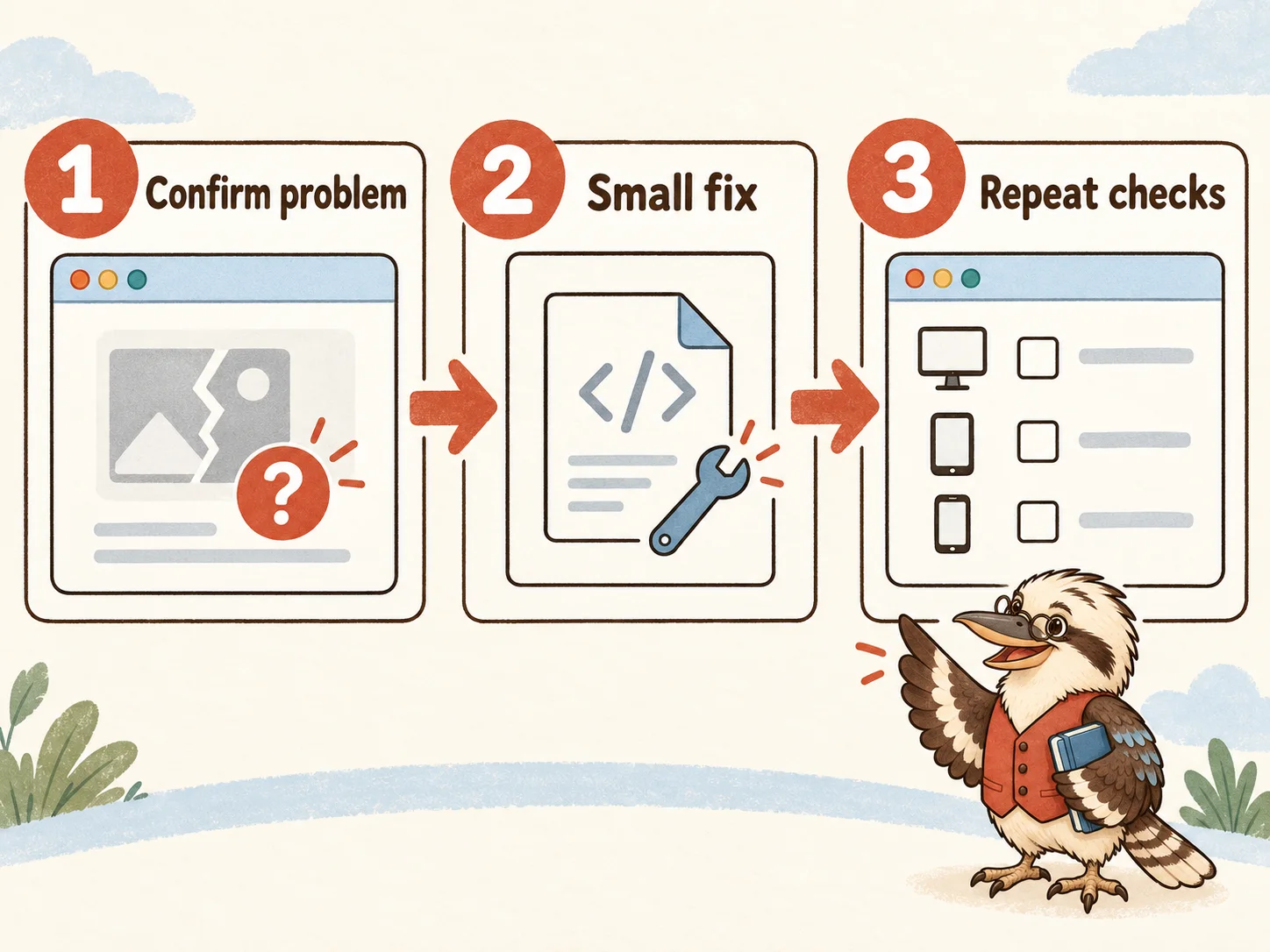
Illustrated example - Work loop
- Confirm the problem → Fix it → Repeat the affected checks
Look for: Confirmed defects have fixes and new check results. Open findings stay visible.
More help with this action
A finding is useful when you can show what fails and check the repair.
Work through the findings
- Ask Codex to reproduce each reported defect before changing it. Fix one clear problem at a time.
- Repeat the affected tests and the important visitor journeys from chapter 15. Record what was checked and the result.
- Keep unanswered questions in the release note. If a serious problem remains, keep the release as a draft.
You should now see: Confirmed release-blocking defects are fixed, with new check evidence. Unresolved findings remain recorded.
-
Save the automatic checks
Use the quality-workflow prompt to add automatic GitHub checks. Use commands that already work on your computer.
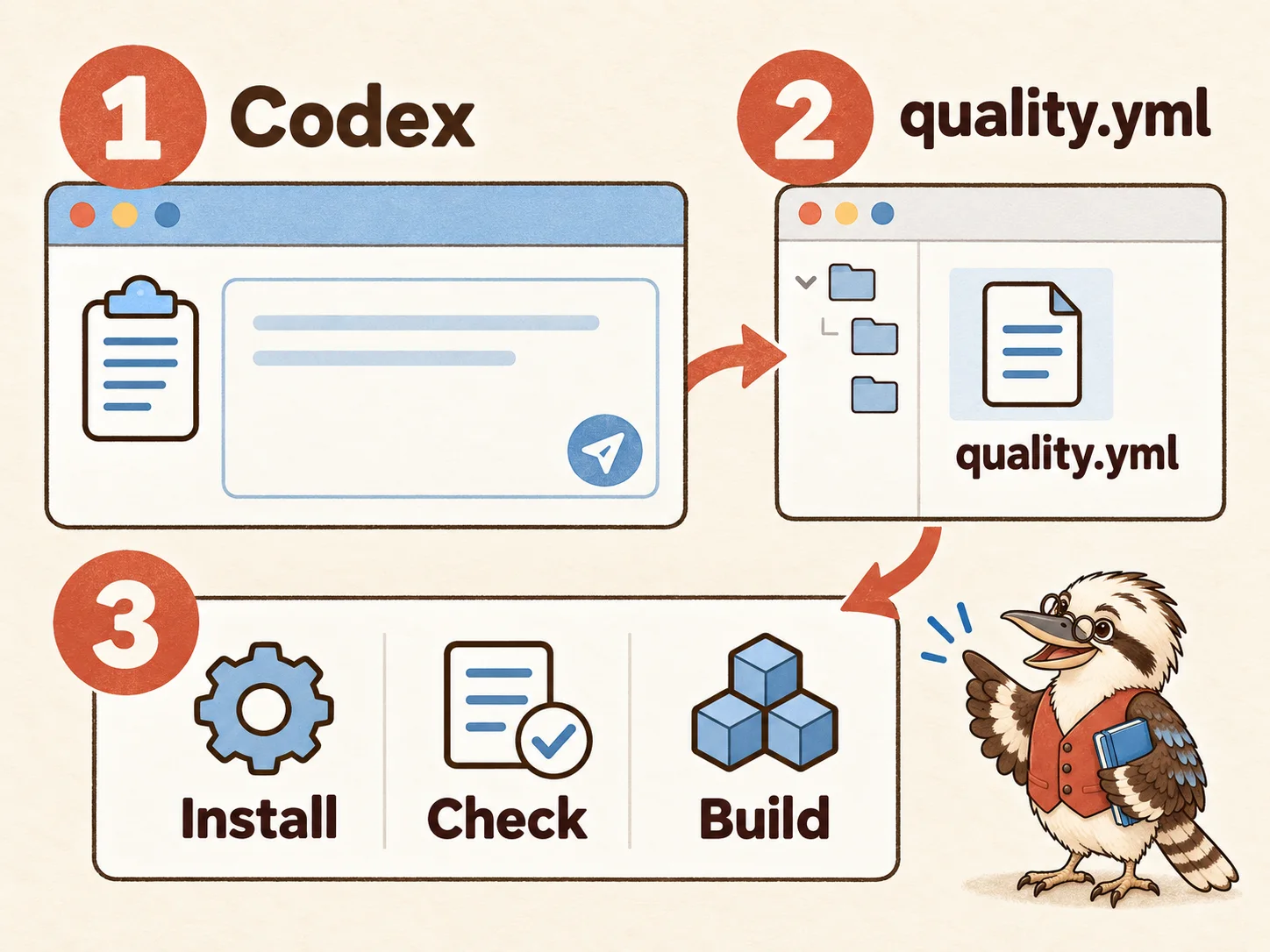
Illustrated example - In the project
- .github → workflows → quality.yml
- Ask Codex
- Use the verified install, code-check and build commands.
Look for: A workflow file that repeats the actual project checks without publishing the site.
More help with this action
A workflow is a saved list of commands for GitHub to run.
Make your working checks repeatable
- Copy Make the verified checks repeatable. Have Codex inspect package.json, the committed lockfile and the supported Node version.
- Ask for .github/workflows/quality.yml to run on pushes and pull requests. Use npm ci and the real check and build commands already verified locally.
- Use current official GitHub actions and minimal read permissions. This static website does not need an OpenAI API key in the workflow. Do not add automatic deployment.
You should now see: The saved workflow uses real project commands, the intended Node version and no unnecessary credentials.
-
Include the browser tests
Include Playwright browser checks and reports that help you understand failures.
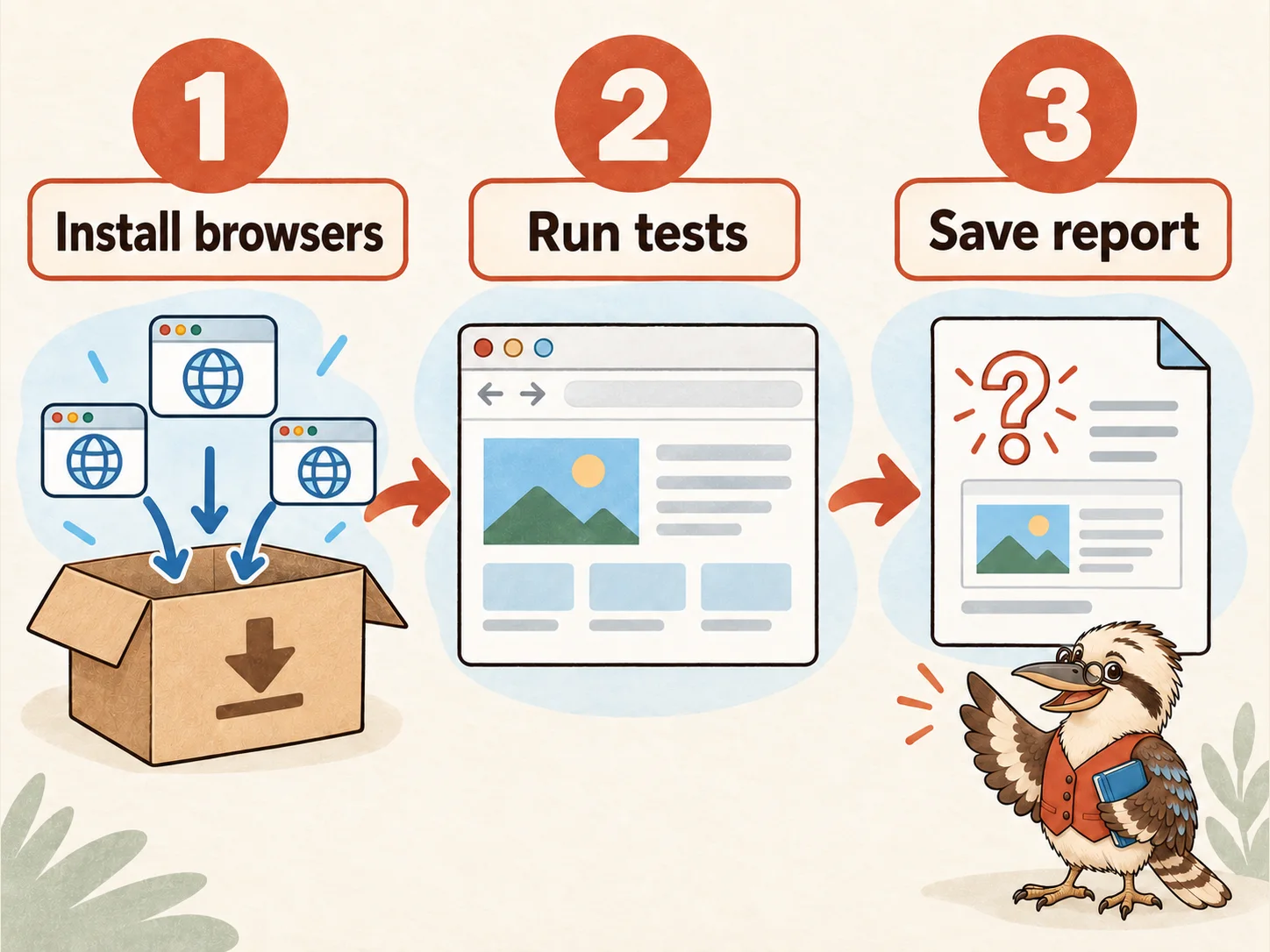
Illustrated example - Workflow
- Install browsers → Start test site → Run tests → Save reports
Look for: The workflow can run the intended browser tests and preserve useful failure evidence.
More help with this action
The browser tests need their own browsers and a website to visit.
Prepare the browser test job
- Follow Playwright’s current CI instructions to install the browsers and their required system packages.
- Have Codex use the project’s working test configuration to start the local test site and run the intended browser checks.
- Save failure reports, logs and useful screenshots. They help you investigate a failed check rather than guess what happened.
You should now see: Browser tests can run on GitHub, with useful evidence retained when a check fails.
-
Open a pull request
Push your branch and open a pull request. Read the Actions run for its latest change.
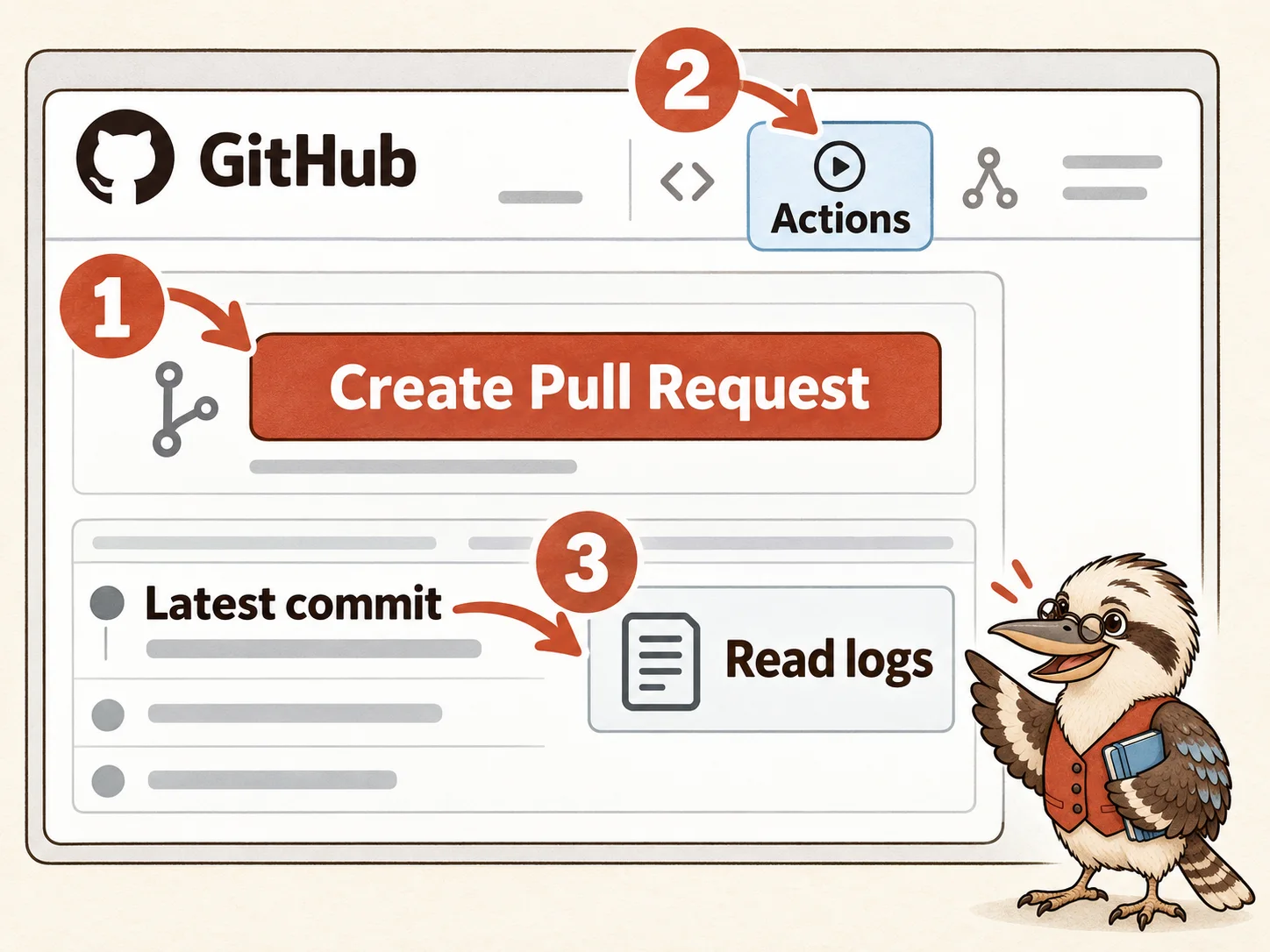
Illustrated example - On GitHub
- Your branch → Compare & pull request → Create Pull Request
- Read the checks
- Actions → Latest run → Job log
Look for: A pull request and a completed check run for its latest commit.
More help with this action
A pull request keeps the proposed changes together for review.
Find the pull request and its results
- Save your branch changes as commits, then push that branch to your GitHub repository.
- On GitHub, choose the branch and Compare & pull request. Check that the base is your main branch and the compare branch is your work, then use Create Pull Request.
- Open the repository’s Actions tab and inspect the latest run. Read any failed job’s log. Confirm the run belongs to the latest pull-request commit, rather than an older version.
You should now see: The pull request shows completed check results for the change you are actually reviewing.
-
Review before merging
Check Actions usage, then review the results. Merge only after the relevant checks pass and you approve the change.
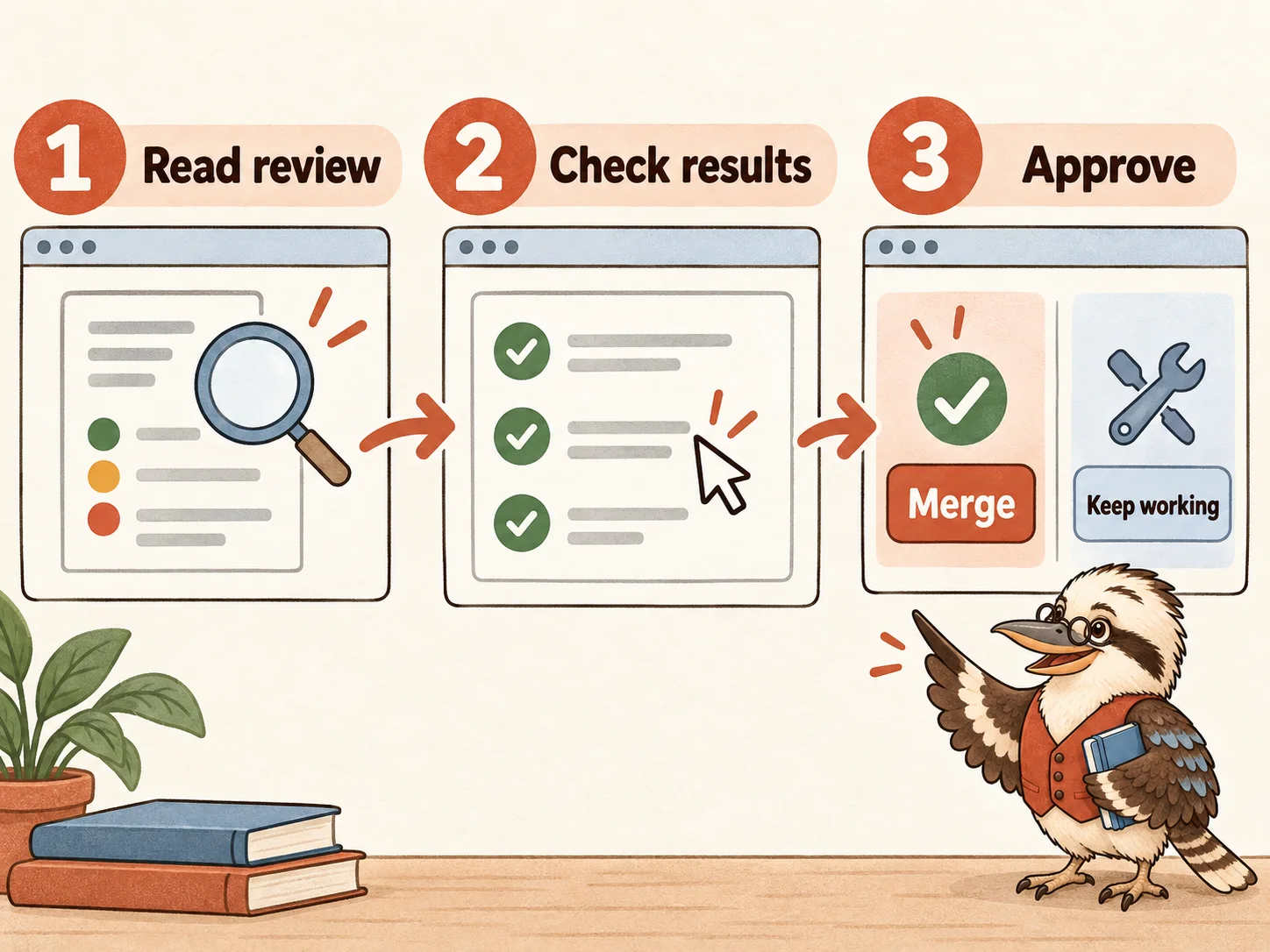
Illustrated example - Decision
- Read findings → Check the latest results → Approve or keep working
Look for: You approve only a reviewed change whose relevant checks pass.
More help with this action
Green checks help your decision; they do not make the decision for you.
Decide whether to merge
- Review GitHub Actions usage and any charges for your account. You do not need API access just to run this static site’s checks.
- Read the separate review report and the latest build and browser results. Address serious findings before approving the change.
- Merge only when you approve the reviewed result. In this tutorial, hosting uses a later manual upload; this workflow has no website deployment job. If you add automatic hosting later, check its release triggers before merging.
You should now see: The main version contains only the change you approved after relevant checks passed.
Why this step matters
A pull request lets you compare a proposed change with the saved main version. You review it before joining the two versions.
GitHub Actions runs your agreed checks automatically. A passing run is useful evidence, but you still decide whether the site is ready.
Basics, explained
Diff
A comparison that highlights what was added, changed, and removed between two versions of the files.
CI
Continuous integration: automatically running agreed checks as code changes, so broken changes are caught before release.
Lockfile
A file recording dependency versions. npm ci uses it to reproduce the installation and fails when it disagrees with package.json.
Workflow
A saved sequence of jobs and commands, triggered by events such as a push or pull request.
Ask your agent
PromptRequest a fresh review
Review the Fieldnotes Studio branch diff against our brief and acceptance criteria. Independently inspect functionality, accessibility, secrets, dependencies, and test coverage. Reproduce suspected defects and cite affected files. Distinguish confirmed issues from questions and limitations. Report findings without modifying files or merging the branch.PromptMake the verified checks repeatable
Inspect package.json, the lockfile, Node requirements, and our working browser test configuration. Create .github/workflows/quality.yml for push and pull_request using official current GitHub Actions, minimal read permissions, npm ci, and the actual verified code-check, build, and browser-test commands. Configure required Playwright browser installation and failure artifacts. No OpenAI API key is required for this static site. Explain each job and how I inspect its results on GitHub. Do not add automatic website deployment.If something goes wrong
- The workflow says a script is missing.
- Compare the failing command with package.json. Have Codex correct the workflow or explicitly configure and verify the intended script locally before rerunning.
- Tests work locally but fail on GitHub.
- Read the failing job's log and saved browser evidence. Check Node compatibility, browser installation, server startup, case-sensitive paths, and lockfile consistency.
Official links & further reading
Personal notes
Add questions, decisions or ideas for your website. Saved in this browser when available; export your notes to keep a copy. Never enter secrets.
Downloads & saved progressGuide, notes and personal checks
Download the complete guide or export your notes from every chapter. Instructions last reviewed: .
Checks and notes stay in this browser, separately for each language. Export your notes to preserve them. Never enter API keys or other secrets here.
NotesNotes as Markdown
Clipboard access is unavailable. Copy the visible, selected text below using your keyboard or browser menu.
0 of 65 checks marked across the guide
These are your saved personal checkmarks. They do not run tests or verify security, and are separate from the chapter position bar above.
Starter filesWorking instructions and four skills
These templates give your agent a starting set of working instructions. Review them, adapt them to your website, and save each file at the exact path shown, relative to your project folder.
A downloaded skill is an instruction file. It does not install a test runner, run a security scan, or prove your site is safe. The guide shows how to set up and check that work.
Download the instruction files in the language of this guide. Keep the technical filenames and paths as shown.
Download all starter filesFileAGENTS.md
# Website working agreements

This project follows the website brief and acceptance criteria we have agreed with its owner. Use the existing technology choices unless a concrete requirement calls for a change.

## How to work

- For a substantial feature, explain the proposed changes and verification plan before implementing it. Complete authorized local work in small, reviewable stages.
- Read the files relevant to the task. Keep unrelated pages and configuration intact.
- Explain new technical terms in plain language when reporting to the owner.
- Use the repository's website-design, clean-code, website-testing and website-security skills when their workflows apply.
- Record important decisions and unresolved content in the project's notes. Do not invent business facts, endorsements or publishing rights.

## Verification

- Inspect package.json to find the actual build, type-check and test commands. Do not invent a successful check or create a meaningless test just to make a command pass.
- Run checks appropriate to the change. Local tests use disposable fixtures and have no production access; run them and repair failures caused by the requested change without asking at every step.
- Verify visitor interactions in a browser when browser tools are available. Report checks that remain unavailable or incomplete.
- Show the owner a working local preview and summarise changed behaviour, evidence and remaining limitations.

## Credentials and publication

- Keep API keys and other secrets out of browser code, prompts, logs and Git. Store local secrets in ignored files or the chosen secret store.
- Local build and test work is authorized. Publishing the site, sending a real message, processing a payment or changing production data requires the owner's authorization for that action.
- Preserve a recoverable working version before release. Describe how to restore it.

These are starter agreements for a new tutorial project. Adapt them to the owner's actual requirements and existing authorization.
File.agents/skills/website-design/SKILL.md
---
name: website-design
description: Develop or refine a website's visual direction and responsive interface from its brief, content and existing design. Use for page design or visual implementation.
---

Read the website brief and any existing design notes relevant to the requested page. Work within the user's brand, content and technology choices.

When establishing a new direction, propose typography, a small colour palette, a spacing rhythm and a sample page. Explain how these choices support the audience and main visitor action. Use real content to judge hierarchy and line lengths.

Implement reusable elements for navigation, headings, buttons and repeated content. Give primary actions a clear visual hierarchy. Preserve visible keyboard focus, readable contrast and usable labels. Design narrow screens alongside desktop screens; check long headings, navigation and tap targets in a browser.

Use semantic HTML before adding custom interaction. Keep motion optional and respect reduced-motion preferences. Use assets with known permission to publish; record their sources. Do not invent client testimonials, achievements or business facts.

Before expanding a design across all pages, show the first complete page at desktop and mobile widths. Describe the main design decisions and any unresolved content. When a browser tool is unavailable, report that visual verification is still pending.
File.agents/skills/clean-code/SKILL.md
---
name: clean-code
description: Implement or refactor website code into understandable components using the project's existing stack and conventions. Use for website implementation or maintainability work.
---

Read the relevant files and package scripts before choosing an implementation. Preserve working behaviour outside the requested change. Prefer the existing stack and dependencies when they meet the need.

Keep page content separate from repeated layout where that makes editing easier. Name components, variables and functions for their purpose. Use shared components for repeated navigation and page elements; avoid abstraction for a single trivial use.

Handle empty, invalid, loading and error states for interactions that need them. Use native browser controls and semantic HTML when they serve the interaction. Avoid fake form submission, simulated success messages and dead links.

Use type checking and the project's formatting or lint rules where configured. When adding a package, explain its purpose and any new maintenance or runtime requirements. Keep generated build output, dependencies and local environment files out of version control.

Run the existing checks relevant to the change, including a production build when output can change. Summarise changed behaviour, verification results and remaining limits. Explain the main files in plain language so a beginner can find and edit their content.
File.agents/skills/website-testing/SKILL.md
---
name: website-testing
description: Verify website changes through visitor journeys, appropriate automated tests and browser checks. Use when testing a website, investigating a failure or preparing a release.
---

Start from the brief and observable acceptance criteria. Inspect existing test and build commands; do not assume that a script exists. Choose checks based on the changed behaviour and the cost of failure.

Exercise the main visitor journey and affected links, navigation and forms. Include invalid input and relevant error states. For a contact form, verify actual delivery in the agreed test destination before reporting that it works. For an email link, explain that it opens the visitor's configured email app and does not send a message automatically.

Check narrow and wide screens in a browser. Include keyboard navigation, visible focus, accessible names, zoom and horizontal overflow. Automated accessibility results complement these manual checks and do not establish complete accessibility conformance.

Add automated tests for important behaviour or demonstrated regressions. Test observable outcomes and meaningful failure cases; avoid tests that merely repeat the implementation or match incidental wording. Use disposable test data and local fixtures. Never send real messages, charge payments or alter production data without the user's authorization.

Reproduce a failure, fix its cause and rerun affected checks. Report commands run, results, browser checks performed and anything not checked. A successful build shows that the site can be generated; verify visitor behaviour separately. Never report a check as passed when it was skipped or unavailable.
File.agents/skills/website-security/SKILL.md
---
name: website-security
description: Review a website's secrets, dependencies, inputs, permissions and deployment configuration, and repair scoped security findings. Use for requested security review or release preparation.
---

Identify the site's relevant surfaces: static pages, forms, backend routes, authentication, third-party scripts and stored data. Scope review to the actual architecture and authorized environment.

Keep credentials out of browser code, logs, prompts and Git. Distinguish build-time public configuration from server secrets. If a key was committed or exposed, stop using it, explain that deleting the file does not revoke the key, and have the owner revoke or rotate it before further use. Do not print the credential in your report.

Inspect applicable dependency advisories and assess whether the affected package and vulnerable behaviour are used. Repair within the project's compatible versions and rerun affected checks. Avoid automatic forced upgrades that may break the website.

For backend interactions, validate inputs on the server, encode output appropriately, and check authentication and authorization separately. Consider abuse controls for public forms or AI endpoints. An OpenAI API key belongs on the server; publishing a static site does not provide a secret server environment.

Check HTTPS and applicable security headers at the actual hosting layer. Collect only the data the feature needs, and explain its destination and retention. Do not claim legal compliance from a code scan.

Report each finding with its location, plausible impact, fix and verification. State review scope, tools used, unresolved findings and inaccessible surfaces. A clean scan is evidence about that scan's scope, not a guarantee that the website has no vulnerabilities. Do not scan third-party systems or deploy changes outside the authorized task.